
Which ChatGPT Plan Do You Need for Codex? Free, Go, Plus, Pro US$100/US$200 and Business Compared (Checked September 2026)
Codex has no subscription of its own — it follows your ChatGPT plan. Using OpenAI's own September 2026 pages, this guide compares what Codex can do on Free, Go, Plus, Pro US$100, Pro US$200 and Business, plus Codex-Spark, credits, and what the Pro US$200 pause means for buyers in Hong Kong.

On this page

“I want to use Codex to write software — which ChatGPT plan should I buy?” The first step is simpler than it looks: Codex has no subscription of its own. You sign in to Codex with a ChatGPT account, and how much you can do, plus which features you get, follows that ChatGPT plan. The real decision is between Free, Go, Plus, the two Pro tiers, and Business Standard or Premium seats.
The detail is where it gets awkward. OpenAI changed Codex repeatedly through 2026: the pricing page moved to a new address, Pro split into US$100 and US$200 tiers, Codex-Spark shipped to Pro only, Business gained Premium seats, older models retired, and from 10 September 2026 Pro US$200 stopped accepting new sign-ups. Plenty of comparison tables online still describe last year's product, so every claim below links back to OpenAI's own page.
Facts checked: 15 September 2026. This guide is built from OpenAI's Codex pricing page, Using Codex with your ChatGPT plan, About ChatGPT Pro tiers and Managing billing and seats in ChatGPT Business. Every price here is OpenAI's published US dollar list price, not a Hong Kong price. Plans, features and limits change, so re-check the official page before you pay.
Supported regions (checked 15 September 2026): Hong Kong does not appear on OpenAI's ChatGPT supported countries list or on the OpenAI API supported countries and territories list. Both pages state that “accessing or offering access to our services outside of the countries and territories listed below may result in your account being blocked or suspended.” ChatGPT Go likewise rolled out “everywhere ChatGPT is available.” This guide compares what the plans contain; it does not mean you are eligible to use or pay for them, and it gives no method — VPN, overseas address, borrowed phone number, someone else's identity or anything similar — for getting around a regional restriction. Start with our pre-subscription checks for ChatGPT in Hong Kong (Traditional Chinese).
The short answer: Codex has no separate subscription
OpenAI's help centre is blunt about it: “Codex is included across ChatGPT plans, including Free and Go. Usage limits vary by plan.” To start, you simply sign in with your ChatGPT account. There is no product called a “Codex monthly fee”; once you choose Sign in with ChatGPT in the CLI, the IDE extension or the desktop app, Codex unlocks features and meters usage according to that account's plan.
Two practical consequences follow:
- Choosing a Codex plan means choosing a ChatGPT plan. Upgrade or downgrade ChatGPT and the surfaces, models and usage available to Codex move with it.
- Codex shares an allowance with your other work. Per Using Codex with your ChatGPT plan, Codex, ChatGPT Work, ChatGPT for Excel and Workspace Agents use a shared allowance and credit pool when those features are available on your plan. A heavy research morning in ChatGPT Work eats into what is left for coding that evening.
If you want the one-line version, start here and read the rest for the reasoning:
- Just trying it out: Free (US$0) — officially positioned for quick coding tasks.
- Cheapest paid option: Go (US$8) — officially positioned for lightweight coding tasks.
- A few focused sessions a week, plus GitHub PR review: Plus (US$20), which is also the baseline the 5x and 20x figures are measured against.
- Long coding days, or you want Codex-Spark: Pro US$100 (5x Plus usage).
- More usage than 5x: Pro US$200 (20x Plus), but new sign-ups and upgrades are paused from 10 September 2026.
- Two or more people who need SSO and central administration: Business Standard or Premium seats.
Seven plans compared for Codex (checked 15 September 2026)
Both tables below use only OpenAI's published information. The first covers price, official positioning and relative usage; the second covers surfaces, cloud features and extra models. All prices are OpenAI's US dollar monthly list prices, with no Hong Kong dollar conversion.
Price, official positioning and relative usage
| Plan | Official monthly price (US list price, checked 2026-09-15) | How OpenAI positions Codex on it | Relative Codex usage |
|---|---|---|---|
| Free | US$0 | “Explore Codex capabilities on quick coding tasks” | No official multiple published |
| Go | US$8 | “Use Codex for lightweight coding tasks” | No official multiple published |
| Plus | US$20 | “Power a few focused coding sessions each week” | The baseline that 5x and 20x are measured against |
| Pro US$100 | US$100 | 5x higher rate limits than Plus | 5x Plus |
| Pro US$200 | US$200 (new sign-ups and upgrades paused from 2026-09-10) | 20x higher rate limits than Plus | 20x Plus |
| Business Standard | US$20 per user (annual) / US$25 (monthly), two-seat minimum | Brings ChatGPT and Codex into a startup or growing company | Officially estimated the same as Plus |
| Business Premium | US$100 per user (annual) / US$125 (monthly) | 5x the usage of a Standard seat, with no five-hour usage limit | Officially estimated the same as Pro 5x |
Surfaces, cloud features and extra models
| Plan | Local: desktop app, CLI, IDE | Codex cloud, GitHub code review, Slack | GPT-5.3-Codex-Spark | GPT-6 Astra | Extra credits |
|---|---|---|---|---|---|
| Free | Sign in to Codex with a ChatGPT account; individual surfaces are not itemised officially | Not listed in the official feature table | Not available (Pro only) | Not listed officially | Only for a limited group of Free users |
| Go | Sign in to Codex with a ChatGPT account; individual surfaces are not itemised officially | Not listed in the official feature table | Not available (Pro only) | Not listed officially | Only for a limited group of Go users |
| Plus | Available | Available | Not available | Limited usage, then credits | Can buy credits |
| Pro US$100 | Available | Available | Research preview (desktop app, CLI, IDE) | Full existing allowance | Can buy credits |
| Pro US$200 | Available | Available | Research preview (desktop app, CLI, IDE) | Full existing allowance | Can buy credits |
| Business Standard | Available | Available | Not available | Limited usage, then credits | Workspace credits via flexible pricing |
| Business Premium | Available | Available | Not available | Full existing allowance | Workspace credits via flexible pricing |
| API key (not a subscription) | Local work in the desktop app, CLI and IDE | Not available (Codex cloud requires ChatGPT sign-in) | Not available (no API access) | Follows the API models available to your key, billed by usage | Not applicable; billed at API rates |
Four things are worth flagging about that table. First, OpenAI's feature comparison has five columns — Plus, Pro, Business, Enterprise/Education and API Key — and no Free or Go column. Some articles flatly state that Free and Go cannot use cloud tasks or code review; we could not find official wording that says so, which is why those cells read “not listed.” Trust what the Codex settings in your own account show. Second, 5x and 20x are usage tiers relative to Plus, not fixed message counts. Third, the Plus card on the pricing page lists “Codex on the web, in the CLI, in the IDE extension, and on iOS,” while the desktop-app migration article says “Codex is not selectable on web or mobile” and that supported desktop Codex chats can be reached from the Remote tab in the ChatGPT mobile app; the two pages disagree, so again, go by what your account shows. Fourth, this guide does not cover Enterprise or Education.
To estimate what a plan would cost you in Hong Kong dollars, put the US dollar price, your card's exchange rate and its overseas transaction fee into our subscription cost calculator. The result is your own estimate, not an official OpenAI price in HKD.
Free and Go: you can use Codex, but OpenAI calls it quick and lightweight
Free: find out what Codex actually does
OpenAI positions Free as “explore Codex capabilities on quick coding tasks.” That fits work like asking Codex to explain an unfamiliar function, writing a small file-tidying script, running one CLI workflow end to end, or watching how it reads a small repository.
The pricing page adds one explicit limit: image generation is not available on the Free plan. The consumer ChatGPT pricing page summarises what Free gets as “limited Codex access,” against “expanded Codex usage” on Plus. As for Codex cloud, GitHub code review and the Slack integration, the official feature table has no Free column, so you should neither assume they are there nor declare that they are not. Treating Free as a trial for deciding whether Codex suits you is more realistic than treating it as a daily working tool.
Go: the cheapest paid option, still lightweight
Go costs US$8 a month in the US and is positioned as “use Codex for lightweight coding tasks.” It is the cheapest paid plan that includes Codex, but take the word “lightweight” seriously: if your plan is to have Codex read a large repository, run the test suite and edit several files every day, Go is not shaped for that.
Three more things are worth knowing before you pay:
- Where it is available: OpenAI announced that Go is rolling out “everywhere ChatGPT is available,” which means it still follows the ChatGPT supported-countries list and does not imply Hong Kong availability. OpenAI also notes that Go pricing is localised in some markets and that US$8 is the US price.
- Ads: in the same global-rollout announcement OpenAI said it planned to begin testing ads in the free tier and ChatGPT Go in the US, and that ChatGPT Plus, Pro, Business and Enterprise will remain ad-free. Check OpenAI's announcements for the current arrangement.
- Credits: per the flexible usage credits article, credit purchases are currently available only to a limited group of Free and Go users, and buying credits does not change your plan or raise its included usage limit.
The full Go-versus-Plus trade-off — ads, the other ChatGPT features, the monthly difference — is a separate question, covered in our ChatGPT Go vs Plus comparison (Traditional Chinese). This guide is only about Codex, and on that axis the trigger is simple: once you need reliable coding time every week, or automatic PR review on GitHub, look at Plus.
Plus: the official baseline — “a few focused coding sessions each week”
Plus costs US$20 a month and is positioned to “power a few focused coding sessions each week.” It is also the reference point for the whole Codex usage system: Pro's 5x and 20x are both measured against Plus. According to the official pricing page, Plus includes:
- the Codex CLI and IDE extension, plus the web and iOS access listed on the pricing page (see the note above about how that conflicts with the desktop-app article);
- cloud-based integrations such as automatic code review and the Slack integration;
- the GPT-5.6 model family — Sol, Terra and Luna — with GPT-5.6 Luna offering higher usage limits on lighter or high-volume workloads;
- the option to buy ChatGPT credits to extend usage when the included allowance runs out.
How should you split work between Sol, Terra and Luna?
OpenAI is clear about the division of labour. Sol is built for the hardest work — complex reasoning, ambiguous problems, advanced coding and high-stakes decisions. Terra is the everyday workhorse. Luna is optimised for fast, high-volume work such as routing, classification, extraction, support, background automation and focused coding tasks. In practice, a Plus user who keeps hitting limits should first check whether routine tasks are being handed to the heaviest model; that often helps more than upgrading immediately.
If an older tutorial mentions GPT-5.4 or GPT-5.4 mini, note that OpenAI's models page states that both retired from Codex on 31 August 2026 when you sign in with ChatGPT, with GPT-5.6 Terra and GPT-5.6 Luna as the recommended replacements.
GPT-6 Astra is “limited” on Plus
OpenAI's ChatGPT Work and Codex article states that Pro US$100, Pro US$200 and Business Premium seats can use their full existing allowance for Astra, while Plus and Business Standard seats include limited Astra usage with optional credits for more afterwards. The Astra usage article adds the caveat that model access still depends on your plan, workspace permissions and rollout eligibility — so the account screen is the authority.
How is GitHub code review metered?
From Plus upwards you can use Codex code review on GitHub. OpenAI explains that Code Review usage applies only when Codex runs reviews through GitHub — for example when you tag Codex for review in a pull request or enable automatic reviews on a repository — and that reviews run locally or outside GitHub count toward your general usage limits. According to the GitHub code review setup docs, you first set up Codex cloud for the repository, then turn on Code review for it in Codex settings; configuring automatic reviews needs a connected GitHub repository and GitHub push or admin permission for its settings. You request a review by mentioning @codex review in a pull request comment.
Plus suits individual developers, freelancers, product or data people with a few concentrated coding blocks a week, and small projects that want Codex helping with pull requests on GitHub.
Pro US$100 vs US$200: 5x and 20x are relative to Plus
OpenAI's consumer ChatGPT pricing page shows Pro as “From $100 / month,” and the Codex pricing page frames the tier as “Choose 5x or 20x higher rate limits than Plus” — you pick the level at purchase. OpenAI's Pro tiers page is explicit: “Both Pro tiers include the same core capabilities. The main difference is usage allowance: Pro $100 unlocks 5x higher usage than Plus, while Pro $200 unlocks 20x usage than Plus.” The difference between the tiers is the usage level, not the feature set.
The misreading to avoid: 5x and 20x are not “this many messages every five hours,” and they are not unlimited. How much work you actually finish depends on the model, task complexity, context, reasoning effort, speed setting and tool use. The pricing page does publish per-model estimate ranges, but it also states that “these estimates are not fixed message limits.” How usage is counted and when it resets is the job of our ChatGPT Plus, Pro and Codex usage limits guide, so this guide does not repeat it.
Codex-Spark: the real-time coding model limited to Pro
Beyond usage, Pro has one thing neither Plus nor Business gets: GPT-5.3-Codex-Spark, a research preview. In its launch post OpenAI described it as a smaller version of GPT-5.3-Codex and its first model designed for real-time coding; at launch it had a 128k context window and was text-only, and the models page still marks it text-only today. OpenAI says it delivers more than 1,000 tokens per second when served on the low-latency hardware it built with its partner Cerebras — a vendor figure, not a result we measured.
Before you buy Pro for Spark, note the official limits:
- ChatGPT Pro users only, on both the US$100 and US$200 tiers;
- usable in the ChatGPT desktop app, the Codex CLI and the IDE extension — the models page marks ChatGPT web and Codex cloud as not supported;
- the models page also marks API access and ChatGPT credits as unavailable for it;
- because it runs on specialised low-latency hardware, it has its own separate usage limit that may adjust based on demand.
If your day is mostly small, fast edits that need an immediate answer — tweaking an interface and watching it change, fixing lint, filling in tests — Spark is the concrete thing Pro US$100 adds over Plus. If you mostly hand long-running jobs to Codex cloud, Spark will not help you, because it does not run there.
Pro US$200: new sign-ups paused from 10 September 2026
This is the most important recent change. OpenAI's Pro tiers page states: “As of September 10, 2026, we're temporarily pausing new sign-ups and upgrades to the ChatGPT Pro $200 plan (Pro 20X).” The pause covers upgrades from Free, Go, Plus and Pro US$100. What that means for you:
| Your situation | Effect |
|---|---|
| Already subscribed to Pro US$200 | Unaffected; it keeps renewing as usual |
| New or existing Pro US$100 | Unaffected |
| Want to move to US$200 from Free, Go, Plus or Pro US$100 | Not possible during the pause |
| A Pro US$200 subscription ends through cancellation, a failed renewal, a refund or claiming a promotion | Cannot be purchased again until the pause is lifted |
The practical advice: if you were considering 20x, use Pro US$100 during the pause and buy credits as needed; a team can compare Business Premium instead. If you already have US$200, think hard before cancelling, scheduling a downgrade or claiming an offer that changes your plan, because once the subscription ends you cannot buy it back while the pause holds. If a seller claims they can open a brand-new Pro US$200 subscription, ask exactly how it is delivered and who controls the account, and read it against OpenAI's pause notice.
Why do some articles call Pro US$100 “10x”?
Pro US$100 launched on 9 April 2026. In the official community announcement OpenAI described it as offering “5x more Codex usage than Plus” and being “best for longer, high-effort Codex sessions,” and added a launch promotion running through 31 May 2026 that gave Pro US$100 subscribers up to 10x the Codex usage of Plus. That promotion has ended; 5x is the current standard.
Business Standard vs Premium (from two seats)
If you are not buying for one person but for a team of two or more, Business deserves a proper look. Per the Business billing and seats article, a Business workspace needs a minimum of two seats, and you can mix and match seat types: two Standard, two Premium, or one of each all satisfy the minimum. Both seat types include ChatGPT and Codex.
Standard seats
Standard seats cost US$20 per user per month billed annually, or US$25 billed monthly. OpenAI lists them as including ChatGPT Chat, Work and Codex with included usage limits, plus a centrally managed workspace with admin controls, SAML SSO and MFA, and no training on your business data by default. Workspace credits bought through flexible pricing extend usage beyond the included rate limits. In the official estimates table, a Standard Business seat matches Plus.
Premium seats
Premium seats cost US$100 per user per month billed annually, or US$125 billed monthly. OpenAI states Premium includes 5x more usage than Standard seats and no five-hour usage limit, and the Codex pricing page adds that “Business ($100) uses the Pro 5x estimates.” On GPT-6 Astra, Premium seats can use their full existing allowance. But Premium does not include Codex-Spark: in the official feature table, the Business column for the Codex-Spark research preview is marked unavailable.
Premium seat vs Pro US$100
| Comparison | Business Premium | Pro US$100 |
|---|---|---|
| Official US dollar price | US$100 per user (annual) / US$125 (monthly) | US$100 |
| Codex usage estimate | Same as Pro 5x | 5x Plus |
| Five-hour usage limit | Officially stated as not applying | No exemption stated |
| GPT-5.3-Codex-Spark | Not available | Research preview |
| GPT-6 Astra | Full allowance | Full allowance |
| Workspace administration, SAML SSO | Yes | No |
| Codex access tokens for trusted automation | Yes | No |
| Minimum headcount | Two seats, mixable with Standard | One person |
In short: the two are close on Codex usage, but Premium adds team administration, SSO and automation tokens, drops Spark, and needs two seats. One person who values Spark is better served by Pro US$100; two or more people who need central control and one invoice are better served by Premium. Whether Premium also carries a weekly limit is not spelled out officially, so check the workspace screen.
Seats can also be mixed by how hard each person works. In a three-person team where only one uses Codex heavily every day and the other two dip in occasionally, one Premium plus two Standard seats may make more sense than three Premium seats. Your actual seat mix and billing cadence are whatever the workspace billing settings say.
Team automation and legacy Codex seats
The official feature table shows Codex access tokens for trusted automation on Business and Enterprise/Education only — not on Plus, Pro or API key. If your team wants a controlled way to call Codex from CI or internal tooling, that is a real difference in Business's favour.
You may also see older articles mention “Codex seats.” OpenAI's Business billing article notes that some workspaces created before 24 June 2026 have a third seat type specific to Codex. Current Business is built around Standard and Premium seats, and seat swaps are available only between those two; legacy Codex seats cannot be included in a swap and must be assigned or reassigned separately.
Skipping the subscription: the API key route
Besides a ChatGPT plan, Codex also supports signing in with an API key. OpenAI's authentication docs state that the ChatGPT desktop app, Codex CLI and IDE extension support both sign-in methods for local work, and that API key usage is billed through your OpenAI Platform account at standard API rates.
The trade-offs:
- Upside: you pay for what you use with no fixed monthly fee, which suits irregular usage or a company that already has OpenAI Platform billing.
- Limits: Codex cloud requires signing in with ChatGPT, so an API key gets no cloud features — no GitHub code review, no Slack integration. Model availability follows the API models available to your key, and Codex-Spark has no API access.
- Region: the API is bound by OpenAI's supported countries and territories list too. It is not a way around a regional restriction.
Five questions to answer before you choose
Rather than starting from price, start by writing down the shape of your work. Each question below maps onto one official difference:
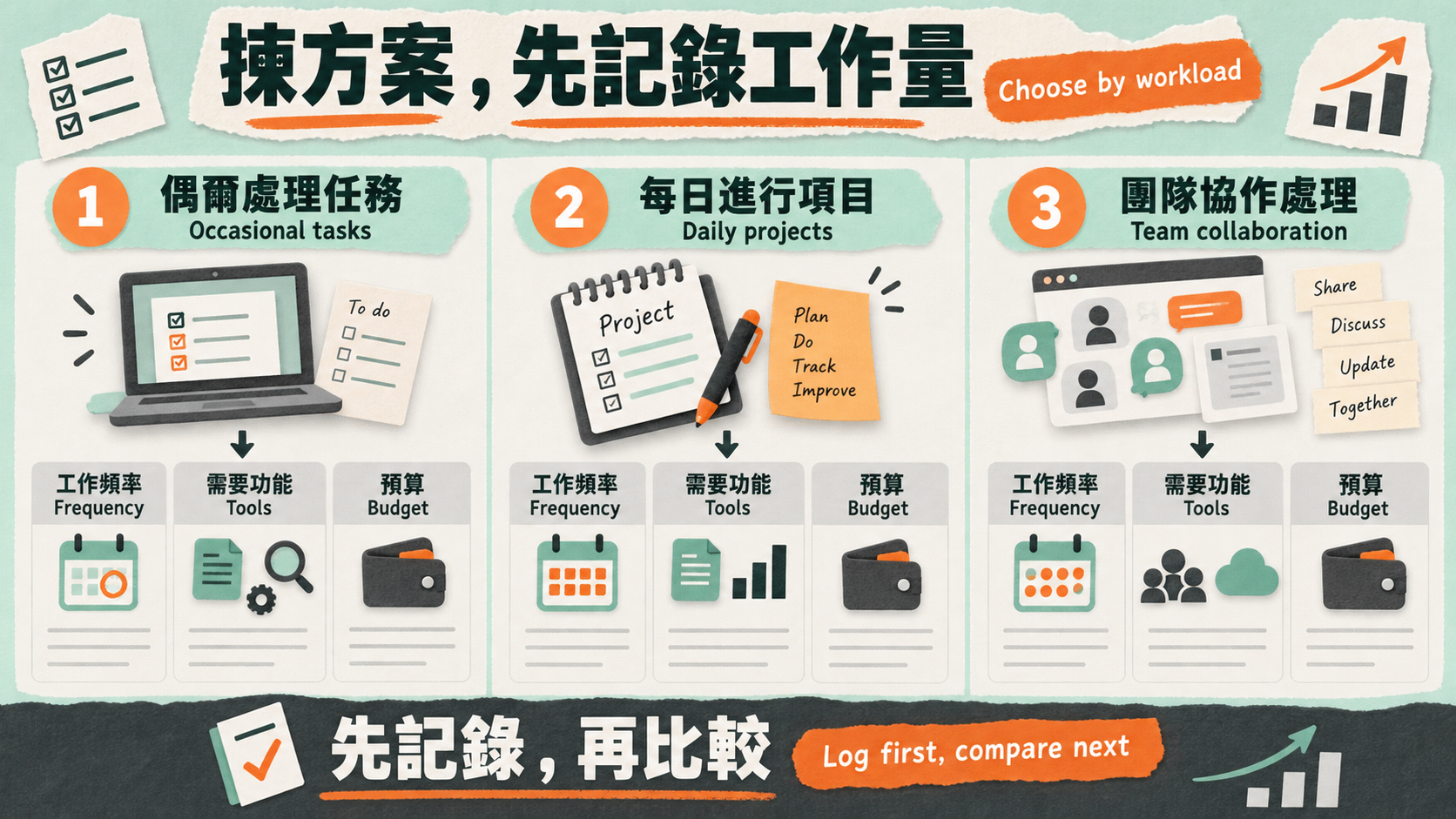
- How many focused coding sessions do you run each week? If you occasionally ask for an explanation or a small script, Free or Go is a fine starting point. If you have a few fixed coding blocks a week, Plus is OpenAI's stated baseline. Only if Codex is reading files, editing code and running tests for long stretches most days does comparing the Pro tiers make sense.
- Do you need automatic code review on GitHub? The official feature table lists GitHub code review and automatic PR reviews from Plus upwards; Free and Go have no column, and API key does not have it.
- Does real-time iteration matter to you? If you work by changing something and watching the result, mostly in the desktop app, CLI or IDE, the Pro-only Codex-Spark is a genuine difference. If you mostly delegate jobs to Codex cloud, Spark is irrelevant because it does not run there.
- How many people, and do you need central control? Two or more people who need SAML SSO, one invoice or CI automation tokens should compare Business rather than buying individual plans separately.
- How heavily do you use the rest of ChatGPT? Codex shares an allowance with ChatGPT Work, ChatGPT for Excel and Workspace Agents, so heavy use there needs headroom in whatever plan you pick.
Write the answers down, then read them against the decision table below; that usually narrows things to one or two candidates.
Pick by workload: a decision table
No plan is objectively better — the question is whether it fits the shape of your work. The table uses official positioning and features only, with no invented usage logs. Drop your own situation into it, then narrow further with our AI plan comparison tool.
| Shape of your work | Try first | Official basis | When to move |
|---|---|---|---|
| Learning Codex; occasional code explanations or small scripts | Free, then Go | Free is “quick coding tasks”; Go is “lightweight coding tasks” | When you start coding on a weekly rhythm, or need GitHub PR review |
| A few focused coding sessions a week, with automatic PR review | Plus | The official baseline, “a few focused coding sessions each week”; code review is listed from Plus upwards | When important work is repeatedly interrupted by limits |
| Long coding days, or real-time iteration | Pro US$100 | 5x Plus usage; Codex-Spark is Pro-only | When 5x is still short after tightening context and model choice |
| Still short after optimising 5x | Pro US$200 (new sign-ups paused); meanwhile Pro US$100 plus credits, or Business Premium for a team | 20x Plus | Watch for OpenAI lifting the pause |
| Two or more people needing SSO, central billing or CI automation | Business Standard or Premium | SAML SSO and MFA; access tokens are Business and Enterprise only | Mix Standard and Premium seats when members' usage differs sharply |
| Irregular usage, local CLI or IDE only | API key | Billed at standard API rates | Move to a ChatGPT plan when you need cloud tasks or GitHub code review |
Three mistakes come up again and again. First, buying the top tier out of fear of running short: Pro has to be justified by real work, not by the size of the number. Second, budgeting Codex separately from the rest of ChatGPT: they share an allowance, so heavy ChatGPT Work users must count both. Third, comparing price without comparing features: Business Premium is wrong for someone who needs Spark even though the usage is similar, and two individual Pro accounts cannot replace what Business gives a team that needs SSO.
How usage, resets and credits work
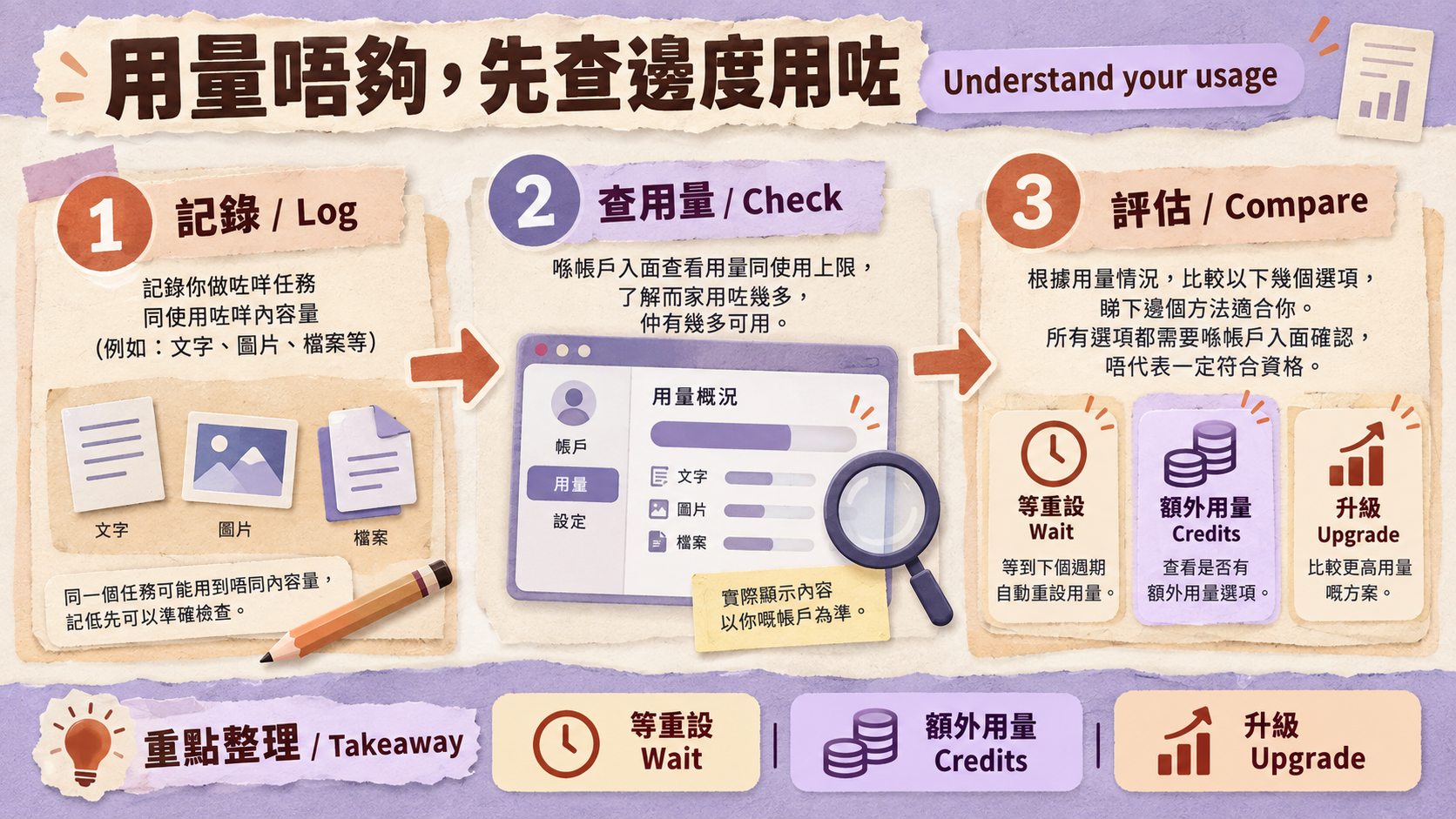
You can see your current limits and reset times on the Codex usage dashboard, or type /status during an active Codex CLI session. Depending on the plan, limits may apply over a five-hour window and a weekly window. Plus and Pro users who hit a limit can buy credits and keep working without upgrading; Business workspaces can buy workspace credits through flexible pricing. For the per-model estimate ranges, how credits are drawn down, and how to use a seven-day log to decide whether to upgrade, see our ChatGPT and Codex usage limits guide.
Why old comparison tables keep getting this wrong
Search for Codex pricing and you will still find plenty of stale material. These were the most common out-of-date claims when we checked on 15 September 2026:
- The old pricing URL: developers.openai.com/codex/pricing now redirects to the newer learn.chatgpt.com pricing page, and the content has been updated.
- “Limited time” language: if an article says Codex is included in Free and Go “for a limited time,” or that paid rate limits are “temporarily doubled,” note that the current official pricing page carries no such wording.
- Pro US$100 as 10x: that launch promotion ended on 31 May 2026.
- Old models: GPT-5.4 and GPT-5.4 mini retired from Codex on 31 August 2026 when signing in with ChatGPT.
- A standalone Codex app: after updating, the Codex app becomes the new ChatGPT desktop app.
- Pro US$200 available any time: new sign-ups and upgrades have been paused since 10 September 2026.
- Business having one seat type: it now has Standard and Premium; the legacy Codex seat appears only in some workspaces created before 24 June 2026.
Getting started: desktop app, CLI and IDE
Once you have picked a plan, the next choice is where you work. All three local surfaces sign in with a ChatGPT account:
- ChatGPT desktop app (Codex view): per OpenAI's desktop app migration article, updating the Codex app turns it into the new ChatGPT desktop app, and existing Codex chats and projects should remain. The new app puts Chat (questions and conversation), Work (research and deliverables) and Codex (software development) in one app on macOS and Windows. Codex stays a separate view, its workflows are unchanged, and its history stays separate from ChatGPT history. Our full Codex desktop walkthrough (Traditional Chinese) covers the mechanics.
- Codex CLI: OpenAI documents four install routes — a macOS/Linux install script, a Windows PowerShell script, the npm package
@openai/codex, and Homebrew — and you choose “Sign in with ChatGPT” on first run. Step by step in our Codex CLI install tutorial (Traditional Chinese). - IDE extension: the official extension covers Visual Studio Code, Cursor, Windsurf and Visual Studio Code Insiders; Xcode and JetBrains IDEs provide their own Codex integrations.
For your first task, pick a test repository with no sensitive data, write down which files may be changed, what must not be touched and how you will check the result, then watch what happens on the usage dashboard. That is safer than pointing Codex at a production project on day one, and it gives you a much better read on whether the plan is big enough.
Five things to re-check before you pay
- Whether OpenAI's current supported-countries list and Terms of Use allow your actual situation;
- Whether the features you need — GitHub code review, Codex-Spark, SSO — are genuinely included in the plan you are choosing;
- Whether the price you are looking at is OpenAI's US dollar list price, the amount your card will settle, or a third party's total service price;
- Who pays for the account, and who controls the sign-in email and recovery details;
- Who is responsible for renewals, cancellations and refunds.
The fourth point matters most. A “Codex top-up” service is, in the end, someone activating a plan on some ChatGPT account. OpenAI's Terms of Use prohibit sharing your account credentials or making your account available to anyone else, so shared or transferred login details should never be treated as safe. Read our comparison of managed top-ups vs ready-made accounts: delivery, privacy and suspension risk (Traditional Chinese) before you commit.
If you have weighed up the eligibility and account-control questions above and want to see what HK Learn AI offers for Codex, our ChatGPT plan services page is the place to look (Codex follows the ChatGPT plan). The HK$ figures there are HK Learn AI's own total service prices, not official OpenAI prices for Hong Kong; HK Learn AI is not affiliated with OpenAI or Anthropic. Scope, liability and refunds are governed by our terms of service.
Conclusion: define the work, then pick the plan
Codex has no subscription of its own, so choosing a Codex plan means choosing a ChatGPT plan. Free and Go are for trials and light tasks; Plus is the official baseline for a few focused coding sessions a week and the first tier where GitHub code review is listed; Pro US$100 adds 5x usage and the Pro-only Codex-Spark; Pro US$200's 20x is closed to new sign-ups for now; teams of two or more should compare Business Standard and Premium. If you are also weighing up the other side of the market, our Claude Code plan guide runs the same comparison for Anthropic's plans, and our ChatGPT Plus vs Pro comparison covers everything on those plans that is not Codex.
Start from the smallest plan that is plausibly enough, watch the usage dashboard and notice whether work is genuinely being blocked, and only then upgrade. Before every decision, go back to the official pricing page and the supported-countries list and check once more; we will update the checked date here whenever the plans change.
Continue your research
Check the decision tool, live service details and neighboring evidence before paying.
Use the related tool
AI subscription HKD cost calculatorReview live plans
Compare current ChatGPT service plansExact plan pages
Account access, resale and regional eligibility can be restricted by provider terms. The store is independent of OpenAI and Anthropic; verify current official rules before buying.
Sources & references
We link primary and official sources so you can verify everything here.
- 1.ChatGPT plans and Codex pricing — OpenAI
- 2.Using Codex with your ChatGPT plan — OpenAI Help Center
- 3.About ChatGPT Pro tiers — OpenAI Help Center
- 4.Managing billing and seats in ChatGPT Business — OpenAI Help Center
- 5.ChatGPT supported countries — OpenAI Help Center
- 6.OpenAI API supported countries and territories — OpenAI
- 7.Using credits for flexible usage in ChatGPT (personal plans) — OpenAI Help Center
Frequently asked questions
What is a “Codex top-up” service? Is it a different subscription?
No. OpenAI states that Codex is included across ChatGPT plans and that you sign in with your ChatGPT account, so a “Codex top-up” really means activating Plus, Pro or another ChatGPT plan on some ChatGPT account. OpenAI's Pro tiers page lists “sharing your account credentials or making your account available to anyone else” among the things the Terms of Use prohibit, so shared or transferred login details should never be described as safe. Before you pay, be clear about who pays, who controls the account and who holds the recovery details. Our fulfilment-risk guide goes through the trade-offs.
Does ChatGPT Free include Codex?
Yes. OpenAI says Codex is included across ChatGPT plans, including Free and Go, with usage limits that vary by plan. OpenAI positions Free as a way to explore Codex on quick coding tasks, and the pricing page states that image generation is not available on the Free plan. For Codex cloud, GitHub code review and Slack, the official feature table has no Free column at all, so treat what your account actually shows as the answer.
Is ChatGPT Go enough for Codex?
OpenAI positions Go (US$8 in the US) for lightweight coding tasks. Learning the tool and occasionally fixing a script fits that description. Once you run several focused coding sessions a week, or you want Codex to review pull requests on GitHub, OpenAI's own baseline plan is Plus.
What is the difference between Plus and Pro US$100 for Codex?
Pro US$100 unlocks 5x higher usage than Plus and adds GPT-5.3-Codex-Spark, a research preview limited to Pro. On GPT-6 Astra, Pro can use its full existing allowance while Plus includes limited Astra usage with optional credits afterwards. Both plans have Codex cloud, GitHub code review and the Slack integration.
Can I still subscribe to ChatGPT Pro US$200?
Not right now. OpenAI's Pro tiers page states that as of 10 September 2026 new sign-ups and upgrades to Pro US$200 are temporarily paused, including upgrades from Free, Go, Plus or Pro US$100. Existing US$200 subscriptions keep renewing and Pro US$100 is unaffected, but once a US$200 subscription ends through cancellation, a failed renewal, a refund or a promotion, it cannot be purchased again until the pause is lifted. Check OpenAI's Pro tiers page for the current status.
Does ChatGPT Business include Codex-Spark?
No. In OpenAI's feature table the Codex-Spark research preview is available on Pro only; Business (including Premium seats) and Enterprise/Education are marked unavailable. Business Premium is estimated at the same Codex usage as Pro 5x and has no five-hour usage limit, but it does not get Spark.
How does the Codex app relate to the ChatGPT desktop app?
OpenAI says that when you update the Codex app it becomes the new ChatGPT desktop app, putting Chat, Work and Codex in one app on macOS and Windows, and that existing Codex chats and projects should remain after the update. Codex stays a separate view, its workflows are unchanged, and its history remains separate from ChatGPT history.
This article follows our editorial standards.

About the author
HK Learn AI Editorial
The HK Learn AI editorial team researches, fact-checks and writes each piece, citing official and primary sources.
Related in this topic

Claude usage limits: how Pro, Max 5x/20x and Claude Code are actually metered
Claude is not a monthly bundle of messages. This guide breaks down the five-hour session window, the weekly limit, what really drives consumption, how Claude and Claude Code share one allowance, how usage credits are billed, and the context habits that cut waste before you pay for a bigger tier.
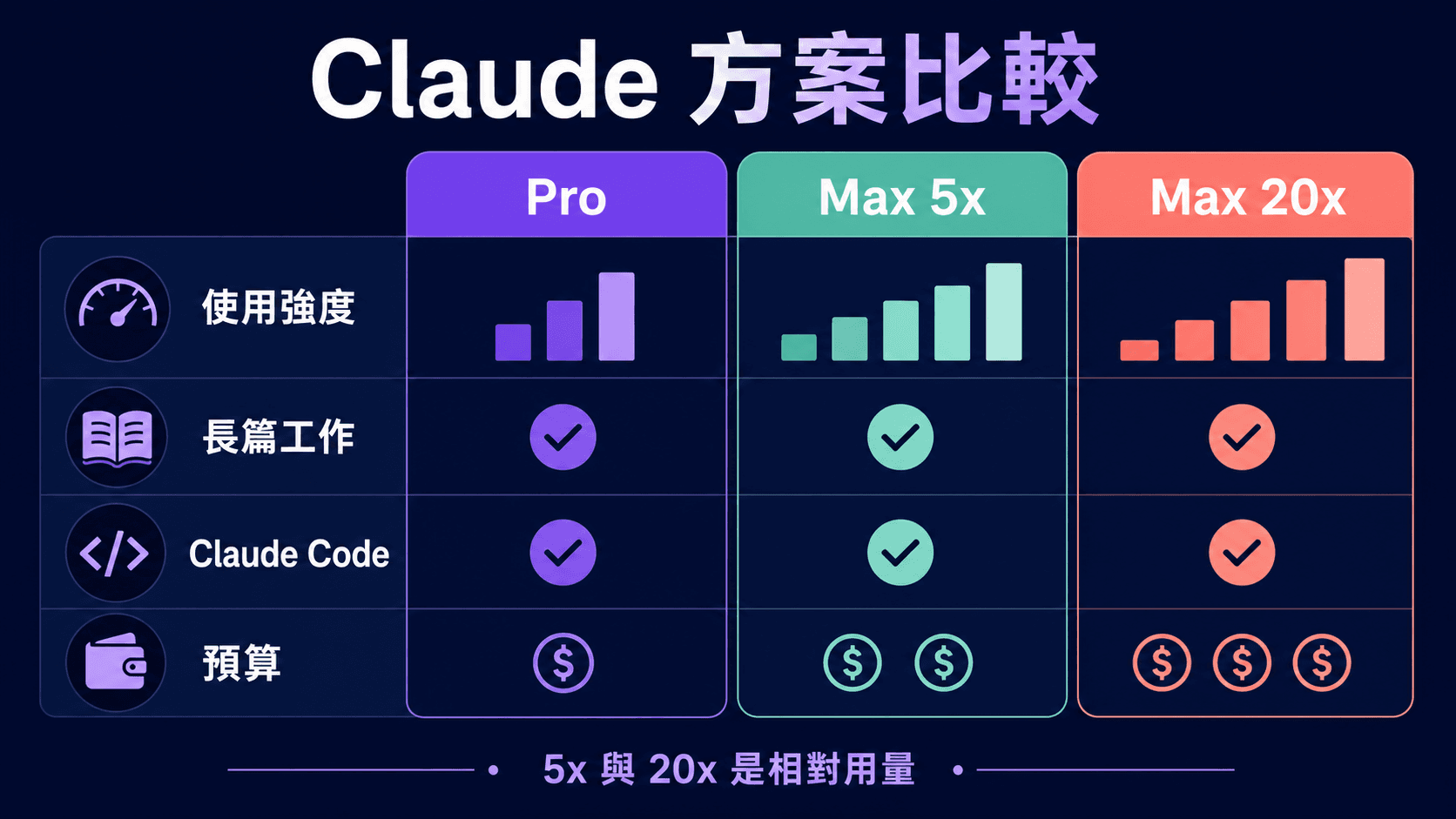
Claude Pro vs Max 5x vs Max 20x: Price, Usage and Claude Code Compared
An Anthropic-sourced comparison of Claude Pro, Max 5x and Max 20x for Hong Kong readers: official US pricing, per-session and weekly usage, Claude Code, usage credits, Fable, our HKD service prices, and a seven-day log you can run yourself before deciding to upgrade.

Which Claude plan do you need for Claude Code? Free, Pro, Max 5x or Max 20x (checked September 2026)
An Anthropic-sourced comparison of Free, Pro, Max 5x, Max 20x and Team seats for Claude Code: official US prices, per-session usage relative to Pro, default models, 1M context, the shared allowance, usage credits and the signals that mean it is time to upgrade — plus Hong Kong's supported-region status.