
ChatGPT Plus and Pro Usage Limits (US$100 5x / US$200 20x): How Codex Allowances and Credits Really Work
No fixed message count describes a ChatGPT or Codex allowance. This guide explains dynamic usage, the 5x and 20x tiers, Codex's five-hour and weekly windows, per-model limits and credits — then gives you a seven-day usage log to decide whether an upgrade is worth it.

On this page

Search for "ChatGPT Plus usage limits" or "Codex 5x vs 20x" and you will find charts that look precise: so many messages every few hours, so many tokens a month, so many dollars of usage "included" in the plan. Almost all of them take one person's workload and present it as a guarantee that holds for every account. No such guarantee exists.
Facts checked 15 September 2026 (2026-09-15). This guide follows OpenAI's ChatGPT and Codex pricing page, Using Codex with your ChatGPT plan, About ChatGPT Pro tiers, the GPT-5.6 and GPT-6 Pro in ChatGPT model note and the credits help page. OpenAI adjusts limits as models, capacity and products change, so what your own account shows today is always closer to the truth than an old screenshot on a forum.
Check eligibility before anything else (checked 15 September 2026): Hong Kong is not on OpenAI's published list of ChatGPT supported countries and territories, which states that "Accessing or offering access to our services outside of the countries and territories listed below may result in your account being blocked or suspended." This guide explains how the plans are metered. It is not a statement that you qualify to use or pay for them, and it gives no VPN, overseas-address, borrowed-phone or borrowed-identity workaround. Start with our ChatGPT Hong Kong pre-subscription check (Traditional Chinese).
The idea that matters most: an allowance is a dynamic system
"Fix my code" can mean changing one line. It can also mean reading an entire repository, searching the web, running tests, generating an image and refactoring ten files. Two tasks cannot cost the same simply because each was sent as one message.
OpenAI says as much on the pricing page: "Tasks that look similar can consume different amounts of your allowance. Model choice, context, reasoning, tool use, retrieval, and caching all affect usage, so prompt length alone isn't a reliable estimate."
In practice, the factors that move your consumption are:
- Model. Stronger or specialised models can carry different limits from lighter ones.
- Context. Chat history, long documents, large repositories and multiple attachments all add work.
- Tools. Browsing, code execution, image generation, data analysis and connected services each change the cost.
- Output. Long reports, large volumes of code and repeated revision rounds cost more than short answers.
- Where it runs. Interactive chat, agents, background jobs and Codex cloud tasks are not all metered the same way. OpenAI distinguishes them: "Codex Local covers the CLI, IDE extension, and desktop workflows, while Codex Cloud covers delegated cloud tasks."
- Service conditions. Capacity, safety systems and fair-use measures can change what is available from day to day.
The "limit" you hit may not be the one you think
| Type of limit | What you typically see | How to check it |
|---|---|---|
| Short usage window (for example Codex's five-hour window) | A notice telling you to wait before continuing | Read the reset time shown in your own interface; do not apply someone else's schedule |
| Longer cycle cap (for example Codex's weekly window) | The short window has reset, but a feature is still restricted | Check the usage dashboard and the official page on the day |
| Per-model allowance | One model is unavailable while others still work | Check the model picker and OpenAI's model availability page |
| Feature or capacity limit | Research, images, agents or Codex are temporarily unavailable | Check the in-product notice, the status page and whether your plan includes the feature |
| Safety or account restriction | Verification is requested, sign-in is blocked, or the account is restricted | Do not treat this as an allowance problem; follow the official account-recovery process |
Recording the exact wording of the notice and the time it appeared is far more useful than writing "hit the quota again". The remedies differ: a usage window often just needs time, while an account or safety restriction should never be handled by changing IP, changing card or retrying the same large job. Individual models such as GPT-6 Pro also carry their own published allowances that differ by plan — take the current numbers from OpenAI's model page and from your own account, not from a third-party chart.
One more distinction worth keeping straight: OpenAI notes that ChatGPT file uploads, image generation and voice "have separate usage limits, reset periods, and banners", and that those limits do not apply to Codex. A banner about images is not evidence that your Codex allowance is gone.
How to read Plus, Pro US$100 and Pro US$200
Plus is the usual starting point among the paid personal plans, at "$20/month (billed monthly)". OpenAI's Pro tiers page is explicit about what the two Pro levels change: "Both Pro tiers include the same core capabilities. The main difference is usage allowance: Pro $100 unlocks 5x higher usage than Plus, while Pro $200 unlocks 20x usage than Plus."
The safe way to read 5x and 20x is "more room than Plus", not "a guaranteed five or twenty times the messages".
| Plan | What the tier means | What it does not mean |
|---|---|---|
| Plus | The baseline for paid individual use, and the reference point for 5x and 20x | A fixed message pack or a pool of API tokens |
| Pro (US$100, 5x) | 5x higher usage than Plus | Five times more of every model, a licence for five people, or unlimited use |
| Pro (US$200, 20x) | 20x higher usage than Plus, for the heaviest workloads | Never hitting a limit, or a licence to run unlimited automation |
Official US prices and OpenAI's own Codex positioning, checked 15 September 2026. The Codex wording in the right-hand column is from the learn.chatgpt.com pricing page, which describes each tier's Codex access but does not itself print plan prices. The prices come from the OpenAI page that publishes each one: Plus from the Plus help page, both Pro tiers from the Pro tiers page, the Business seats from the Business billing and seats page, and Go from OpenAI's ChatGPT Go announcement. All of them are OpenAI's published US dollar prices — not Hong Kong prices, and not any reseller's total.
| Plan | Official US price | Codex, in OpenAI's words |
|---|---|---|
| Free | US$0 | "Explore Codex capabilities on quick coding tasks." |
| Go | US$8 / month (OpenAI's stated US price; it adds that "Go pricing is localized in some markets") | "Use Codex for lightweight coding tasks." |
| Plus | US$20 / month | "Power a few focused coding sessions each week." Codex on the web, in the CLI, in the IDE extension and on iOS, plus cloud integrations such as automatic code review and Slack |
| Pro (US$100, 5x) | US$100 / month | 5x higher rate limits than Plus; GPT-5.3-Codex-Spark research preview (Pro only) |
| Pro (US$200, 20x) | US$200 / month — new sign-ups and upgrades paused since 10 September 2026 | 20x higher rate limits than Plus; Codex-Spark research preview |
| Business | Standard seat US$25 per user / month, or US$20 billed annually; 2-seat minimum | Premium seat US$125 per user / month, or US$100 billed annually: "5x more usage than Standard seats, no 5-hour usage limit". The pricing page adds that "Business ($100) uses the Pro 5x estimates." |
On the paused tier, OpenAI's wording is: "As of September 10, 2026, we're temporarily pausing new sign-ups and upgrades to the ChatGPT Pro $200 plan (Pro 20X). This includes sign-ups and upgrades from Free, Go, Plus, or Pro $100. Existing ChatGPT Pro $200 subscriptions and new or existing ChatGPT Pro $100 subscriptions are not affected by this pause." If an existing US$200 subscription ends — through cancellation, a failed renewal, a refund or a promotion that moves the plan — it cannot be bought again until the pause is lifted.
As of 15 September 2026, Hong Kong is not on OpenAI's published list of supported countries and territories. The table above describes how the plans are metered; it does not mean an official subscription can be taken out in Hong Kong.
Prices, feature lists and the question of which plan suits which job belong to a separate page: ChatGPT Plus vs Pro (US$100, 5x) vs Pro (US$200, 20x). This guide is about the metering, so the two pages do not compete for the same search.
Why Codex usage varies so much more than chat
A Codex task can be a single question. It can also read files, map dependencies, edit code, run tests, browse documentation and iterate several times over. These patterns almost always cost far more than a short exchange:
- scanning a large repository without narrowing the scope first;
- letting one conversation accumulate a long tail of unrelated history;
- asking for research, implementation, tests, screenshots and deployment in a single request;
- running several agents or background tasks at once;
- regenerating images or long outputs with no clear acceptance criteria.
The fix is not to chop work into a hundred fragments. It is to define one acceptable outcome per task, point at the relevant paths, supply the context that is genuinely needed, ask Codex to investigate before it edits, and open a fresh task for the next stage once the current one is accepted.
OpenAI's own suggestions run the same way: control prompt size, limit source material, match the output to the need, keep AGENTS.md small by nesting it in the repository, disable MCP servers you are not using, and switch to a smaller model for routine work.
What to do when Codex usage runs out
Codex is metered in two windows. OpenAI refers to "your 5-hour and weekly Codex usage windows", and the pricing page's own estimates are quoted as "local messages per five-hour period", with the note that "Weekly limits may also apply." When you reach one, OpenAI describes the options this way: "Check the limit notice for the options available to your account. You may be able to add credits, use an available reset, upgrade, or wait until the displayed reset time. Eligible Plus and Pro users can buy credits without changing plans."
So read the notice first and identify which window you hit. Hitting the short window occasionally is normal — wait, or switch to work that does not need the agent. Hitting the weekly window every single week is the signal that actually justifies comparing a higher tier.
Two things not to do. Do not keep retrying the same oversized task against a wall; and do not ask Support to lift the limit, because the help page states that "OpenAI Support does not reset ChatGPT or Codex usage limits." Contact Support when usage looks miscounted or access has not returned after the stated reset time — not as a way of buying more allowance.
Day to day, the cheapest lever is model choice: send routine work to a lighter model and save the heavier one for the work that needs it. There is also a small mercy built in — if you reach a limit mid-turn, Codex can finish that turn, subject to fair-use limits.
If you are still deciding which plan to run Codex on, see which ChatGPT plan you need for Codex. If Codex CLI is not installed yet, follow the Codex CLI installation tutorial (Traditional Chinese). Changes to plans and usage rules are logged in our AI subscription change log (Traditional Chinese).
Plan usage, credits and the API are three different things
- Usage included in the plan. Covered by the Plus or Pro monthly fee and bounded by product and model limits. OpenAI states that "Codex, ChatGPT Work, ChatGPT for Excel, and Workspace Agents use a shared allowance and credit pool when those features are available on your plan", so heavy research during the day reduces the room left for coding at night.
- Credits. Plus and Pro users who reach a limit "can purchase additional credits to continue working without needing to upgrade their existing plan"; for the free tiers, "Credit purchases are currently available to a limited group of Free and Go users." On scope, the same page is narrow: "Credits currently can only be used with Codex, ChatGPT Work, and ChatGPT for Excel, when those features are available to your plan." It also carries a credit-consumption rate line for ChatGPT for PowerPoint, so take that sentence as the current rule and your own account's purchase screen as the authority on what it covers today. Credits are "valid for 12 months from purchase", unused credits expire and "do not roll over after the expiry date", and OpenAI is explicit that "These credits are not API credits." Details are on the credits help page.
- API pay-as-you-go. A separate bill for calls made with an API key, charged at standard API rates. A ChatGPT monthly fee does not convert into an API balance.
Before buying credits, set a budget and turn on the usage notifications your account offers. If your peak lasts a few days a month, topping up is often better value than a permanent upgrade; if you fall short every week, compare the higher tier instead. Work both options out at the rates your own account actually shows.
A seven-day usage log you can copy
| Column | Example entry |
|---|---|
| Date and time | 15 September, 10:30–11:20 |
| Task | Fix the checkout bug and run the test suite |
| Model / feature | The model you actually selected that day; Codex, research or image generation |
| Scope | Number of files, repository size, attachments, whether the thread was very long |
| Limit notice | The exact wording, the reset time, or where the screenshot is saved |
| Blocked time | Minutes spent waiting, switching tools or rebuilding context |
| Result | Done, partly done, or needed manual rework |
Do not record only how much you used — record what it produced. If high consumption is not producing usable results, fix the workflow first. If every block lands on clearly scoped, high-value work, then an upgrade is worth pricing.
OpenAI suggests roughly the same review habit: check the usage dashboard every week or two to understand your pace and remaining capacity, and ask whether a smaller model or a tighter task scope would still give a useful result.
Turning blocked time into an upgrade decision
Monthly cost of being blocked = blocked hours in 7 days × 4.3 × value of an hour of your time
Upgrade is worth pricing when: reasonably avoidable blocked cost > the real price difference
"Reasonably avoidable" is the load-bearing phrase. If you can do other necessary work while a window resets, those minutes are not all lost. The cost is real when a limit interrupts client delivery, a release, or a daily core process. Put your own subscription months, exchange rate and service price into the HKD cost calculator to see what the difference actually is for you.
Nine habits that stretch usage without cutting quality
- Write one primary outcome and its acceptance criteria before you start.
- Supply only the files, data and chat history the task needs.
- Split long projects into stages, but hand over a clear summary between them.
- Use a model that is sufficient rather than the largest one available.
- For research, fix the question, the date range and the kind of primary source first.
- For images, agree on content and direction before generating the final version.
- Enable only the tools, connectors and agents the current task needs.
- When you hit a limit, read the notice instead of retrying the same large task.
- Review results, blocked time and extra spend weekly — not just the percentage remaining.
Conclusion: ask how much work got done, not how many messages you get
ChatGPT and Codex usage is not a pack of messages or tokens. Plus, Pro (US$100, 5x) and Pro (US$200, 20x) give you different amounts of room, but the limit you meet on any given day depends on the model, the feature, the task and the time.
Start on the cheapest plan that plausibly covers your work, log seven days of tasks, limit notices and results, and upgrade only when important work is repeatedly blocked and the loss exceeds the real price difference. The plan comparison tool is a quick way to organise those answers.
If you have worked through the eligibility and account-control questions above and want to see what we offer, our service pages for Plus, Pro (US$100, 5x) and Pro (US$200, 20x — renewals for existing subscriptions only while OpenAI's pause is in force) set out the details. The HKD figures there are HK Learn AI's own service totals, not OpenAI's official Hong Kong prices; HK Learn AI is not affiliated with OpenAI or Anthropic, and the scope, liability and refund arrangements are governed by our terms of service.
Continue your research
Check the decision tool, live service details and neighboring evidence before paying.
Use the related tool
ChatGPT and Claude plan comparisonReview live plans
Compare current ChatGPT service plansExact plan pages
Account access, resale and regional eligibility can be restricted by provider terms. The store is independent of OpenAI and Anthropic; verify current official rules before buying.
Sources & references
We link primary and official sources so you can verify everything here.
- 1.ChatGPT plans and Codex pricing — OpenAI
- 2.What is ChatGPT Plus? — OpenAI Help Center
- 3.About ChatGPT Pro tiers — OpenAI Help Center
- 4.GPT-5.6 and GPT-6 Pro in ChatGPT — OpenAI Help Center
- 5.Using credits for flexible usage in ChatGPT (personal plans) — OpenAI Help Center
- 6.Using Codex with your ChatGPT plan — OpenAI Help Center
- 7.Managing billing and seats in ChatGPT Business — OpenAI Help Center
- 8.ChatGPT supported countries — OpenAI Help Center
Frequently asked questions
Does ChatGPT Plus come with a fixed number of messages or tokens?
Treat it as no. The limit you actually meet shifts with the model, the feature, the amount of context, task complexity and system conditions. OpenAI's pricing page publishes per-model estimate ranges but states plainly that "These estimates are not fixed message limits; check your usage dashboard for current limits and reset times." Your own dashboard on the day is the authority.
Do Pro (US$100, 5x) and Pro (US$200, 20x) mean unlimited?
No. They are relative usage tiers. Per-model allowances, time windows, fair use, safety measures and service capacity all still apply, and a higher tier does not license more than one person to use the account.
Do ChatGPT and Codex share one allowance?
Partly. OpenAI states that "Codex, ChatGPT Work, ChatGPT for Excel, and Workspace Agents use a shared allowance and credit pool when those features are available on your plan", and Codex is metered in a five-hour window and a weekly window. Ordinary chat models have their own published allowances. Your account's usage dashboard shows what was actually deducted.
Can I buy credits when the plan allowance runs out?
Plus and Pro subscribers can: OpenAI states that "ChatGPT Plus and Pro users who reach their usage limit can purchase additional credits to continue working without needing to upgrade their existing plan." On the free tiers it is not open to everyone — "Credit purchases are currently available to a limited group of Free and Go users." Credits currently work with Codex, ChatGPT Work and ChatGPT for Excel where those features are on your plan; they are valid for 12 months from purchase and do not roll over. They are also not API credits.
Does API usage come out of my ChatGPT Plus or Pro allowance?
No — a ChatGPT subscription and API access are billed separately. Requests made with an API key are charged at standard API rates through your OpenAI Platform account. A ChatGPT monthly fee is not an API balance.
When is it worth moving from Plus to Pro (US$100, 5x)?
When seven days of your own records show that you are repeatedly blocked on work that matters, and the monthly value of that blocked time is consistently higher than the real price difference you would pay. Until then, better task scoping and a smaller model usually buy more than an upgrade does.
Can OpenAI Support reset my limit if I ask?
No. The Codex plan-usage help page states that "OpenAI Support does not reset ChatGPT or Codex usage limits." If you reach a limit, wait for the reset or use another option your account actually shows, such as adding credits or applying a reset you already hold.
This article follows our editorial standards.
Related plans and our service prices
Ready to use Codex after reading the limits? These ChatGPT plans include Codex; prices are our HKD service totals.
- ChatGPT PlusHK$220
- ChatGPT Pro 5xHK$1,100
- ChatGPT Pro 20xHK$2,200
OpenAI paused new sign-ups and upgrades to Pro US$200 on 10 September 2026; we offer this plan for renewals of an existing Pro 20x subscription only.
HK$ amounts are our HKD service totals, not official OpenAI or Anthropic prices.
See all related plansAccount access, resale and regional eligibility can be restricted by provider terms. The store is independent of OpenAI and Anthropic; verify current official rules before buying.

About the author
HK Learn AI Editorial
The HK Learn AI editorial team researches, fact-checks and writes each piece, citing official and primary sources.
Related in this topic

Which ChatGPT Plan Do You Need for Codex? Free, Go, Plus, Pro US$100/US$200 and Business Compared (Checked September 2026)
Codex has no subscription of its own — it follows your ChatGPT plan. Using OpenAI's own September 2026 pages, this guide compares what Codex can do on Free, Go, Plus, Pro US$100, Pro US$200 and Business, plus Codex-Spark, credits, and what the Pro US$200 pause means for buyers in Hong Kong.

Claude usage limits: how Pro, Max 5x/20x and Claude Code are actually metered
Claude is not a monthly bundle of messages. This guide breaks down the five-hour session window, the weekly limit, what really drives consumption, how Claude and Claude Code share one allowance, how usage credits are billed, and the context habits that cut waste before you pay for a bigger tier.
Claude Pro vs Max 5x vs Max 20x: Price, Usage and Claude Code Compared
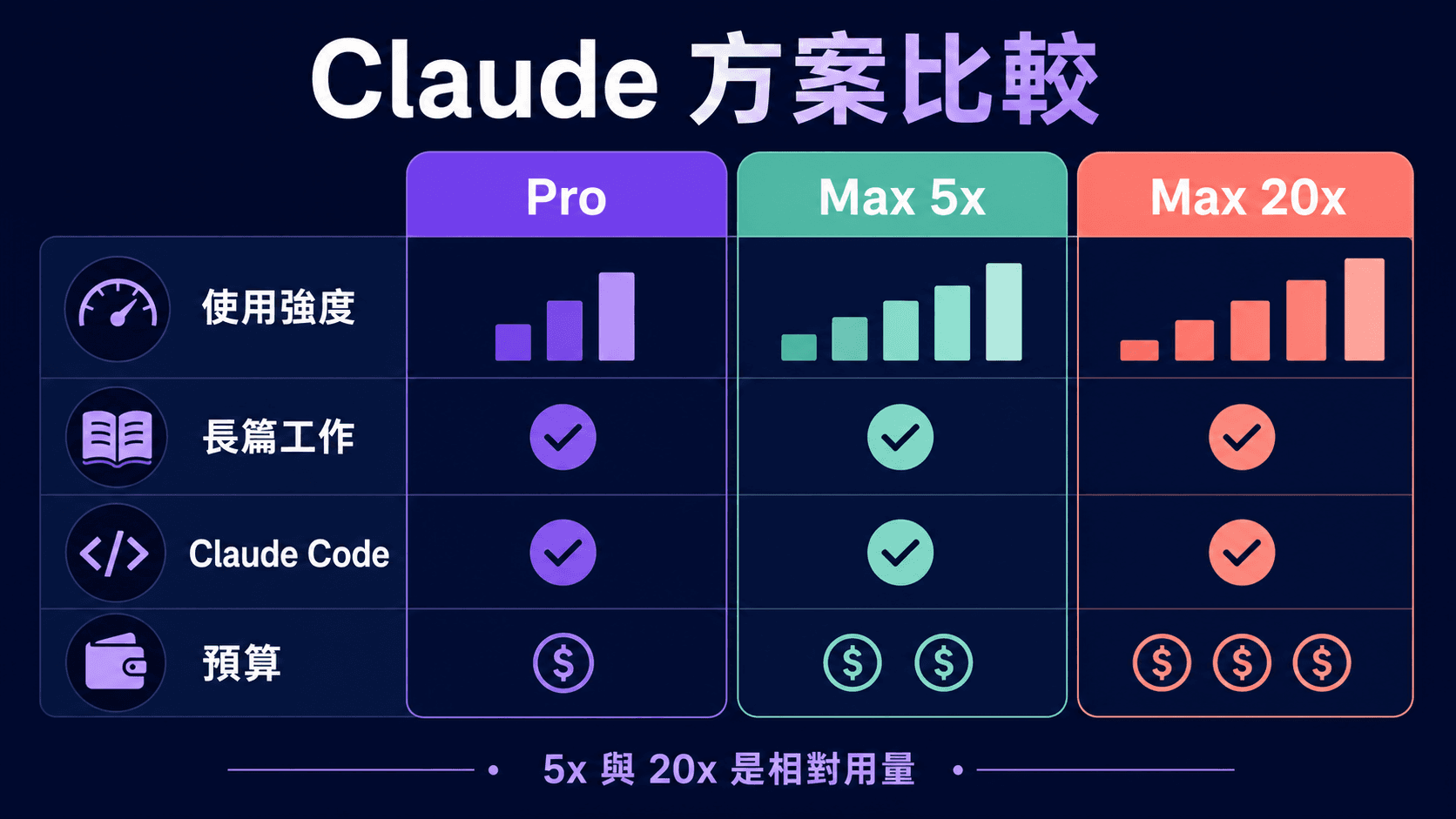
An Anthropic-sourced comparison of Claude Pro, Max 5x and Max 20x for Hong Kong readers: official US pricing, per-session and weekly usage, Claude Code, usage credits, Fable, our HKD service prices, and a seven-day log you can run yourself before deciding to upgrade.