
Which Claude plan do you need for Claude Code? Free, Pro, Max 5x or Max 20x (checked September 2026)
An Anthropic-sourced comparison of Free, Pro, Max 5x, Max 20x and Team seats for Claude Code: official US prices, per-session usage relative to Pro, default models, 1M context, the shared allowance, usage credits and the signals that mean it is time to upgrade — plus Hong Kong's supported-region status.

On this page

"Which Claude plan do I need for Claude Code?" is really three questions in one: can the free plan run it, is Pro enough for real coding work, and if you move to Max, should it be 5x or 20x. The answer is not "buy the most expensive tier". It depends on how many days a week you write code, how large your repositories are, whether you run several sessions in parallel, and whether you are already hitting limits regularly.
Short answer: Free has no Claude Code. Most people should start on Pro, move to Max 5x only if they still hit limits after optimising, and consider Max 20x only when 5x is consistently not enough. If two or more people in a company write code, look at Team seats.
Facts checked on 15 September 2026. Every plan, price, model and usage rule below comes from the official Claude pricing page, the Anthropic support centre and the Claude Code documentation as they read that day. Prices are in US dollars and are Anthropic's official US prices. Plans, taxes and limits change, so re-check the official pages before you pay.
The short answer: every Claude plan in one line
- Free: no Claude Code. Claude Code needs a Pro, Max, Team, Enterprise or Console (API) account.
- Pro (US$20/month): good for learning, side projects and a few small changes a week. Claude Code defaults to Sonnet 5.
- Max 5x (US$100/month): for people who use Claude Code often and still run short on Pro after optimising. Defaults to Opus 5, and Opus 1M context is included.
- Max 20x (US$200/month): only worth it if 5x still hits limits consistently, or you keep several long sessions running in parallel. On monthly billing it is the one plan that halves the cost per unit of usage.
- Two or more developers in a company: compare Team Standard and Premium seats rather than putting several people on one Max account.
Supported-region status (checked 15 September 2026): Hong Kong does not appear on Anthropic's official list of supported countries and regions — neither the API list nor the Claude.ai list. The Claude Code system requirements list "Location: Anthropic supported countries" as a condition of use, and the Pro and Team plans are available in supported locations only.
This guide compares plans. It does not say you are eligible to use or pay for them, and it gives no VPN, overseas address, borrowed phone number, someone else's identity or someone else's account as a way around the list. Read the Claude Hong Kong pre-subscription guide (Traditional Chinese) first. The list is updated from time to time, so check the official page yourself before you act.
One table: which Claude plans include Claude Code?
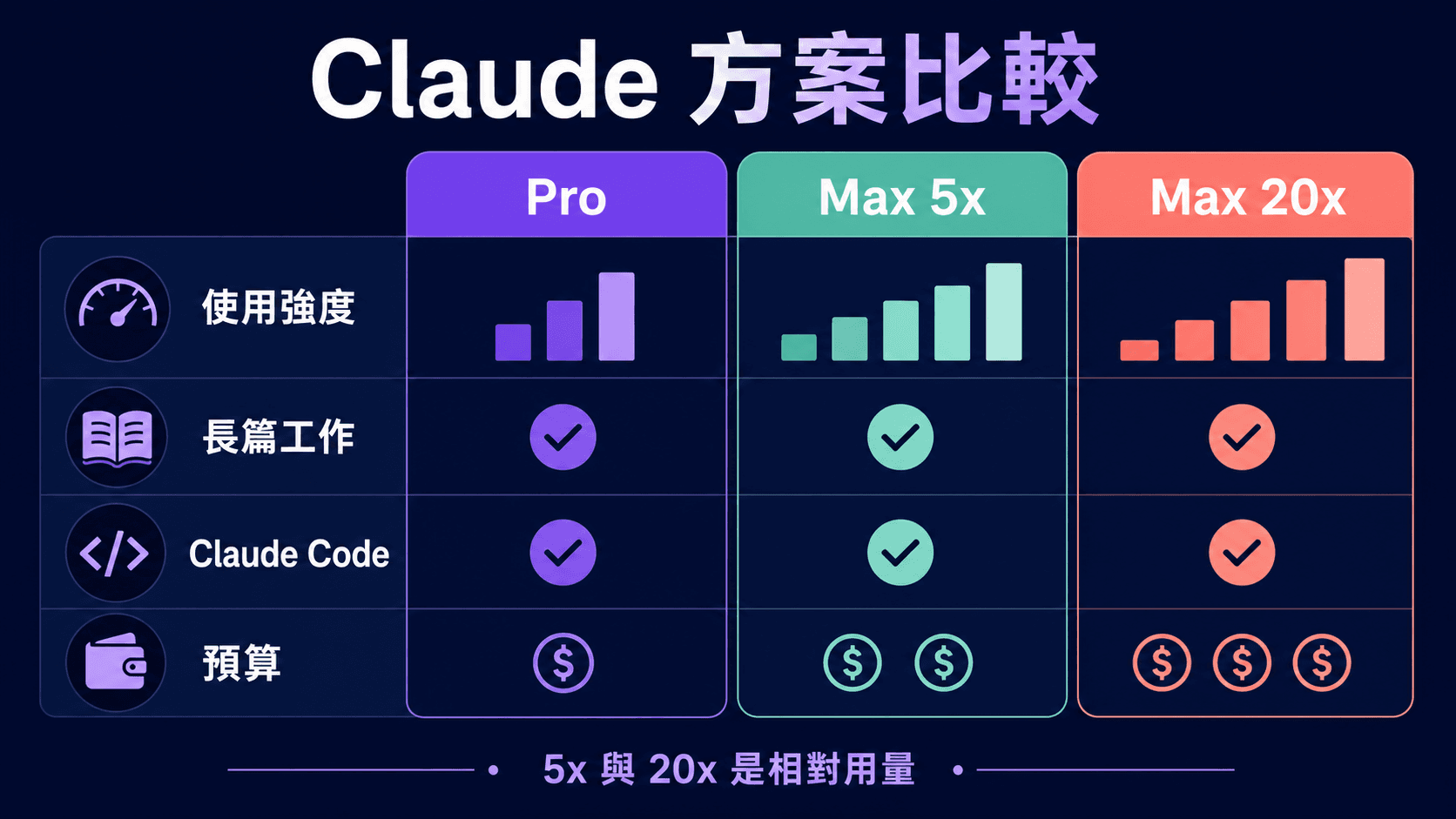
The table below puts the differences Claude Code users actually care about in one place: whether Claude Code is included, per-session usage relative to Pro, the default model in Claude Code, 1M context, the Fable models and billing options. Every figure in the usage row is an official relative multiple. It is not a fixed message count, and it does not mean the weekly limit scales by the same factor.
| Item | Free | Pro | Max 5x | Max 20x | Team Standard | Team Premium |
|---|---|---|---|---|---|---|
| Official US price (checked 2026-09-15) | US$0 | US$20/month; US$200 a year (about US$17/month) | US$100/month | US$200/month | US$25 per seat/month; US$20 per seat/month billed annually | US$125 per seat/month; US$100 per seat/month billed annually |
| Includes Claude Code | No | Yes | Yes | Yes | Yes | Yes |
| Usage per session (relative to Pro) | — | 1x (the baseline; at least 5x the free service) | 5x | 20x | 1.25x | 6.25x |
| Default model in Claude Code | — | Sonnet 5 | Opus 5 | Opus 5 | Sonnet 5 | Opus 5 |
| Opus with 1M context | — | Needs usage credits | Included | Included | Included | Included |
| Fable 5 / 5.1 | No | Usage credits only | Included, up to 50% of the weekly limit | Included, up to 50% of the weekly limit | Usage credits only | Included, up to 50% of the weekly limit |
| Billing | — | Monthly or annual | Monthly only | Monthly only | Monthly or annual; 2–150 seats | Monthly or annual; 2–150 seats |
Three footnotes. First, the official pricing page states that usage limits apply and that the prices shown do not include applicable tax. Second, Pro is billed in local currency in some regions, so do not treat any HKD figure as an official Anthropic Hong Kong price — an HKD amount on a merchant's page is that merchant's total service charge. Third, Enterprise works differently again: US$20 per seat plus usage charged at API rates, which suits large organisations and is out of scope here.
Why the free plan does not work
Because the Free tier advertises "Generate code and visualize data", plenty of people assume it can run Claude Code. The two are not the same thing. On Free you can ask Claude in the web, mobile or desktop app to write a snippet, explain an error message or draw a chart. Claude Code is an agent that works inside your terminal, your IDE or the Claude Desktop app, reading project files, running commands and editing code directly. The way it works, and the way it consumes usage, are completely different.
The official setup documentation is blunt about it: "Claude Code requires a Pro, Max, Team, Enterprise, or Console account. The free Claude.ai plan does not include Claude Code access." The same page notes that you can also run Claude Code against a third-party cloud provider such as Amazon Bedrock, but that is an organisation-level API route and out of scope here. On the pricing page, the Free feature list has no Claude Code, while the Pro column says "Includes Claude Code" alongside Claude Cowork and Claude Design.
So if you only occasionally paste a snippet into a chat, the free tier's conversation features may be enough. The moment you want an AI to read the repo, run tests and change several files in one pass, you need a paid plan or a Console (API) account. A Console account means pre-purchasing API usage credits and paying standard API rates, which suits teams that need metered billing or want Claude Code inside an automated pipeline; for steady individual development, a monthly plan is usually easier to budget. Either way, Anthropic's supported-region requirement still applies.
Is Pro enough for coding?
Pro is the entry point for Claude Code. The official Pro plan page says Pro gives at least five times the usage per session compared with the free service, that the session limit resets every five hours, and that there is a separate weekly limit across all models. For coding specifically, three Pro limitations are worth knowing before you pay.
1. Claude Code defaults to Sonnet 5 on Pro, not Opus 5
According to the Claude Code model configuration docs, Pro and Team Standard accounts default to Sonnet 5, while Max, Team Premium, Enterprise and the Anthropic API default to Opus 5. You can still switch with /model, but a different default means the same task can burn usage at a different rate and produce a different kind of output. The models you can actually pick are the ones /model lists for your account.
2. The Opus 1M context you want for large repos costs extra on Pro
The same page spells it out: on Max, Team (both Standard and Premium seats) and Enterprise, Opus is automatically upgraded to 1M context with no extra setup; on Pro, Opus with 1M context draws on usage credits, which is metered spending beyond your included allowance. Sonnet 4.6 with 1M context needs usage credits on every subscription plan, Max included. If your work regularly means holding a large monorepo in view at once, or chasing a problem across several services, this matters more to your plan choice than "how many more messages do I get".
3. One allowance has to cover both chat and code
The official Claude Code with Pro or Max page states that Pro and Max usage limits are shared across Claude and Claude Code, and the support centre's usage explainer confirms that claude.ai, Claude Code and Claude Desktop all count towards the same limit, with consumption driven by conversation length and complexity, the features you use, the model and the effort level. Edit documents with Claude during the day and refactor a repo with Claude Code at night, and both eat the same session and weekly limits. If you are already a heavy Claude chat user, adding Claude Code will exhaust Pro faster than you expect — so when you compare plans, add your daytime chatting and your evening coding together. The five-hour session and weekly mechanics are unpacked in full in the Claude usage limits tutorial.
Who Pro suits
- You are learning to code and want Claude Code to explain programs and help with small practice projects.
- You spend one to three evenings a week on a side project with a small or medium repo.
- You mainly use Claude for documents and research, and only occasionally reach for Claude Code to fix a script, a form or a site.
- You are not yet sure Claude Code fits your workflow and want to find out at the lowest cost.
Upgrade signal: if you see "You've hit your session limit" several times in one week in the middle of real work, and you have already done the basics — trimming context, splitting tasks, starting a fresh session for a new task — Pro is probably too small for you. Move to Max 5x at that point, not straight to 20x.
Max 5x or Max 20x: read the signals, don't guess message counts
Plenty of comparison articles still say things like "Pro gives you a few dozen messages every five hours, 5x gives a few hundred, 20x nearly a thousand". Those fixed numbers do not come from any current official page: Anthropic publishes relative multiples only, and the same instruction can cost wildly different amounts of usage in a small repo versus a large one. Rather than guessing message counts, read the official positioning and the signals your own account shows you.
How Anthropic separates 5x from 20x
The Max plan page (last updated 7 August 2026) states that Max 5x is US$100 a month and provides five times more usage per session than Pro, while Max 20x is US$200 a month and provides twenty times more. Both reset the session limit every five hours and both carry a weekly limit that applies across all models and resets at a fixed time each week assigned to your account. The pricing page also credits Max with higher output limits, early access to advanced features and priority access at busy times.
Anthropic's choose-a-plan page frames Max 5x for people who "work with Claude on a variety of tasks" and Max 20x for daily users who collaborate with Claude on most of their tasks. For Claude Code users specifically, the Claude Code with Pro or Max page gives the most direct rule there is: if you are on Max 5x and you consistently hit limits, consider upgrading to Max 20x. The operative word is "consistently", not "once in a while".
What does one "Pro unit" cost? (our own calculation)
The table below is our own arithmetic: the official price divided by the official per-session multiple. It is a way to understand the pricing structure, not a quota of any kind.
| Plan | Official US price | Per session, relative to Pro | Cost per "Pro unit" |
|---|---|---|---|
| Pro (monthly) | US$20/month | 1x | US$20 |
| Pro (annual) | US$200/year (÷12, about US$16.7/month) | 1x | About US$16.7 |
| Max 5x | US$100/month | 5x | US$20 |
| Max 20x | US$200/month | 20x | US$10 |
| Team Standard | US$25 per seat/month (US$20 annual) | 1.25x | US$20 (US$16 annual) |
| Team Premium | US$125 per seat/month (US$100 annual) | 6.25x | US$20 (US$16 annual) |
The result is clear. On monthly billing, Pro, Max 5x, Team Standard and Team Premium all cost US$20 per "Pro unit". Max 5x buys you a bigger workspace for a single piece of work, not a cheaper unit rate; only Max 20x halves the rate, to US$10. Annual Pro (about US$16.7) and annual Team seats (US$16) come in slightly lower, but Max has no annual option. Three caveats: first, Anthropic does not publish the weekly limits as the same multiples, so this arithmetic only describes the session level; second, Team has a two-seat minimum and is an organisation plan, not a personal discount; third, how much work you actually finish still depends on context, model, effort level and the nature of the task. So 20x only pays off if you genuinely exhaust the 5x allowance — otherwise you are paying double for room you never use.
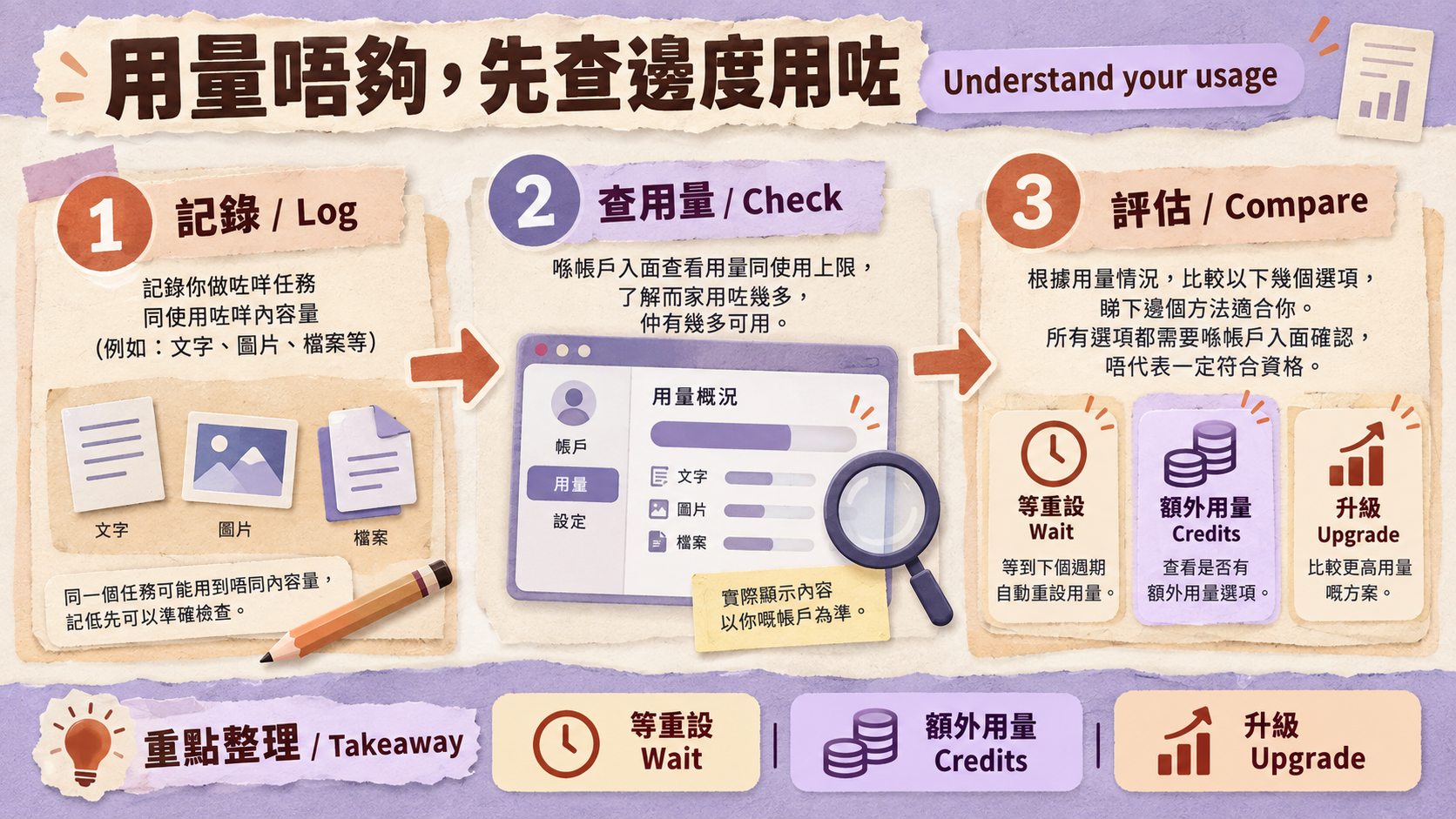
/usage and the limit messages: do what you see
Inside Claude Code, /usage shows plan usage bars, activity stats and a usage breakdown for Pro, Max, Team and Enterprise subscribers; the dollar figure in the session area is for API users and has nothing to do with subscription billing. The breakdown also flags behaviours such as long context or cache misses when one of them accounts for 10% or more of recent usage. Note that the breakdown is estimated from local session history on the machine you are using, so it excludes other devices and claude.ai. When you do hit a limit, the message you see decides what to do next.
| What you see | What it means | What to do |
|---|---|---|
| You've hit your session limit | The five-hour session limit is used up, across all models | Switching models with /model will not help. Wait for the reset time in the message (recent versions can resume an unfinished task after the reset) or turn on usage credits. If it keeps happening, check your context first |
| You've hit your weekly limit | The weekly limit is used up, across all models | Wait for the weekly reset or turn on usage credits. Seeing this every week is the strongest signal to move up a tier |
| You've hit your Opus limit / Sonnet limit | A per-model-family limit | Switch to the other family with /model and keep working. The first request after switching re-reads the whole conversation and gets no cache hits |
/usage flags long context or cache misses | That behaviour accounts for 10% or more of recent usage | Fix how you work before deciding whether to upgrade |
The simple rule: occasional session limits → optimise; weekly limits every week → upgrade a tier; Opus limits only → switch model. For concrete ways to consume less — clearing context, splitting tasks, controlling output length — see the Claude usage limits tutorial.
Upgrades take effect immediately, so you don't have to bet big
According to Anthropic's Max sign-up page, upgrading from Pro to Max takes effect immediately, with billing adjusted on a prorated basis for the rest of the period; subscriptions bought through Google Play follow that page's separate rules. The safer approach is therefore to start on Pro or Max 5x, watch /usage and the limit messages for a week or two, and upgrade on evidence rather than buying the top tier on day one.
Remember too that the limits themselves move. On 6 May 2026 Anthropic announced that it was doubling Claude Code's five-hour rate limits for Pro, Max, Team and seat-based Enterprise plans, and removing the peak-hours limit reduction on Claude Code for Pro and Max accounts. Numbers in old articles and old screenshots go stale quickly, so judge by the /usage screen in your own account.
Estimate your workload first: five things that push usage up
On the same plan, one person never runs out in a month while another hits a limit in an afternoon. The difference is usually not "how many times did you ask" but the shape of the work. According to the Claude Code cost documentation, these are the factors that most affect which tier you need:
- Long context: every Claude Code request carries the whole conversation, and tool results are sent along too. A session you have kept open all day charges you for the full history even when you ask something short. If you work on large repos and rarely clear a session, budget for one tier more headroom.
- Cache misses after a break: the first request after a break longer than the cache lifetime reprocesses the entire context. If your day is full of interruptions, your real consumption will be higher than an uninterrupted stretch of the same work.
- Model and effort level: the documentation says Sonnet handles most coding tasks well and costs less than Opus, and recommends reserving Opus for complex architectural decisions and multi-step reasoning. Max defaults to Opus 5, so the same job draws on your allowance differently there than on Pro. Extended thinking is on by default, thinking tokens are billed as output tokens, and raising the effort level raises usage.
- Parallel sessions and agent teams: every parallel session or teammate carries its own context. The documentation notes that agent teams use roughly seven times the tokens of a standard session when teammates run in plan mode. People who routinely keep several lines of work running are the real audience for Max 20x.
- Scheduled tasks and long-running automation: a
/loopor other scheduled task fires on its interval even while you are away, sending the full context each time. Set a spend limit on usage credits before leaving automation unattended.
A rough way to place yourself: short sessions, small repos and a single line of work usually make Pro a sensible start; long sessions most days on medium-to-large repos point to Max 5x; only the combination of long sessions, large context and several parallel lines of work makes 20x worth serious consideration. The specific savings techniques are out of scope here — see the usage limits tutorial above.

You hit a limit: wait, buy usage credits, or upgrade?
Once you hit a limit there are three official routes:
- Wait for the reset: the session limit resets every five hours and the weekly limit resets at the time assigned to your account. For occasional limits, waiting is usually the cheapest option, and it is a good moment to scope the next piece of work.
- Turn on usage credits (our earlier articles called this extra usage): Pro, Max 5x and Max 20x users can enable usage credits under Settings > Usage to keep going past the included allowance at standard API rates, and this covers Claude Code terminal usage too. You can set a monthly spend cap and auto-reload; always set the cap first so metered spending cannot run away.
- Upgrade the plan: if you need a lot of usage credits every week, the higher tier is usually more predictable. If it is only a day or two of crunch at the end of the month, metered spending may make more sense than upgrading for a whole month.
| Situation | More sensible response |
|---|---|
| You use up the session limit some days, once or twice a week | Wait for the reset, and check whether you are carrying irrelevant context |
| Only one or two intense days a month | Turn on usage credits, and set the monthly spend cap first |
| You hit the weekly limit several weeks in a row | Move up a tier: Pro → Max 5x, or Max 5x → Max 20x |
| A short, intense coding sprint | Usage credits, or separately purchased API credits; review what you actually spent afterwards |
One detail that is easy to miss: the Claude Code cost documentation notes that the prompt cache lifetime is an hour on a subscription and drops to five minutes once you are drawing on usage credits, unless you choose the TTL yourself. In other words, while running on credits, a break longer than five minutes can mean the next request reprocesses the whole context and costs more than you expected. The Claude Code with Pro or Max page also mentions switching to a Claude Console account and purchasing API credits for intensive coding sprints, billed at standard API rates and separate from your Pro or Max subscription; any transition to API credit usage requires your explicit consent, so decline it and wait for the reset if you do not want the extra charge.
Two or more developers: how do Team seats work?
If a company has two or more developers, the right direction is Team, not several people sharing one Max account. The Team plan page sets out the essentials:
- A minimum of 2 seats and a maximum of 150, and one organisation can mix Standard and Premium seats. Prices are for US customers and exclude applicable taxes; currency and tax handling vary by region.
- Standard seats are US$25 per member per month (US$20 per month billed annually) and give 1.25x Pro's usage per session.
- Premium seats are US$125 per member per month (US$100 per month billed annually) and give 6.25x Pro's usage per session.
- Each member has their own set of limits, so one person running out does not stop anyone else working.
According to the Team and Enterprise Claude Code page, Claude Code is included with every Team seat — Standard and Premium — and covers VS Code and its forks such as Cursor as well as JetBrains IDEs like IntelliJ and PyCharm, with IDE usage limited and billed the same way as terminal usage. The cost documentation adds that each member's Claude Code usage draws on their own per-seat allowance, resetting on a rolling five-hour window and a weekly window, shared with Claude conversations and Cowork; admins can turn on usage credits and set spend limits at organisation, group or individual member level.
Choosing between seat types is straightforward: members who mostly review code and occasionally edit it belong on Standard; engineers who live in Claude Code all day belong on Premium. Standard defaults to Sonnet 5 and needs usage credits for Fable; Premium defaults to Opus 5 and includes Fable, which makes it feel closer to Max — and its per-session multiple is actually higher than Max 5x.
Note that Team is not a cheaper substitute for an individual plan. It needs at least 2 seats, it is an organisation account, and an admin configures usage credits, spend limits and usage analytics in the claude.ai admin console. Team only makes sense when two or more people genuinely need their own logins; freelancers and one-person companies should just compare Pro, Max 5x and Max 20x. Conversely, if two engineers at your company are already using personal plans for company work, moving to Team centralises spend limits and usage analytics while each member keeps their own allowance — and once usage credits are on, admins can see estimated spend per member and per model in the analytics report.
Do not share an account: the official choose-a-plan page states that Pro and Max are intended for individual users, and the Anthropic Consumer Terms state that you may not share your account login information or credentials and may not make your account available to anyone else, that you are responsible for all activity under your account, and that access can be suspended or terminated for breaching the terms. Sharing one subscription, passing around login details or handing over tokens is not safe: everyone consumes the same limits, and when something goes wrong nobody can tell who is responsible. For the risks around credentials, account control and terms, see our comparison of official subscriptions, managed top-ups and ready-made accounts (Traditional Chinese).
Fable models in three lines
Fable 5 and Fable 5.1: not available on Free; usage credits only on Pro and Team Standard; included on Max and Team Premium, where you can use up to 50% of your weekly limits on Fable models at no extra cost. (The Fable 5 promotion for Pro and Team Standard ended on 19 July 2026 at 11:59:59 PM PT.)
Fable is not the default model on any plan: in a current version of Claude Code, /model fable selects Fable 5.1, and on older versions you need to run claude update first. For the version requirements and the full rules, see our Claude Fable plan rules article (Traditional Chinese) and Anthropic's official explainer.
Three steps to pick a plan
- Check eligibility first: read Anthropic's supported-countries list and confirm that your account and payment details are your own and match where you actually are. If they do not, stop at the research stage — do not change any identity or location detail in order to subscribe.
- Estimate your workload: write down how many days a week you code, how big your repos are, whether you often need whole-repo context, whether you run parallel sessions, and how much you use claude.ai chat on its own.
- Start small and upgrade on signals: begin on Pro or Max 5x, watch
/usageand the limit messages for a week or two, and only move up a tier when you hit the weekly limit every week.
For step two, five questions are usually enough:
- How many days a week do you open Claude Code, and for how long at a stretch?
- How large are the repos you work in? Do you often need Claude to read a whole project, or track several services at once?
- Do you run two or more sessions at the same time, or use subagents and agent teams for parallel work?
- Do you need Opus with 1M context or the Fable models? On Pro, both mean paying for usage credits.
- How much claude.ai chatting and writing do you do during the day? That shares the same allowance as Claude Code.
| Your coding pattern | Suggested starting point | Upgrade signal |
|---|---|---|
| Learning; one or two small changes a week | Pro | Hitting the session limit mid-task repeatedly |
| Side project, several evenings a week, small to medium repo | Pro | Still hitting limits several times a week after trimming context — consider Max 5x |
| Claude Code on most working days, medium to large repo | Max 5x | Consistently hitting the weekly limit — consider Max 20x |
| Long agent runs, several sessions open at once | Max 5x as the baseline | Move to 20x only when 5x falls short every week and the waiting hurts delivery |
| A development team of 2 or more | Team, mixing Standard and Premium seats by role | A particular member keeps hitting limits — move that member to Premium |
To narrow the list further by budget, intensity and type of work, build a shortlist with the ChatGPT and Claude plan comparison tool, then come back and check it against the upgrade signals above. If you are weighing up Codex on a ChatGPT plan instead, the companion guide covers which ChatGPT plan Codex needs.
After you pick: install, sign in, next steps
Once you have confirmed eligibility and chosen a plan, the next step is installing Claude Code and signing in with your own Claude account — see the Claude Code installation tutorial for Windows and Mac (Traditional Chinese). If what you are really comparing is Claude for general use — writing, research, long documents — rather than coding, read Claude Pro vs Max 5x vs 20x. And to turn a US dollar subscription, the exchange rate and card foreign-transaction fees into a total HKD cost, see our AI subscription total-cost guide (Traditional Chinese).
If you have already completed the eligibility check and simply want to see what this site offers for Claude Code, you can check our Claude plan services page (Claude Code is included from Pro upwards). The HKD amounts on that page are HK Learn AI's total service charge, not Anthropic's official Hong Kong prices, and HK Learn AI is not affiliated with OpenAI or Anthropic. Read our store terms before paying, and understand the credential and account-control risks involved in managed top-ups and ready-made accounts.
Six common misconceptions
| What people say | What the official sources say |
|---|---|
| "The free plan can run Claude Code" | Free does not include Claude Code. You need at least Pro, or a metered Console (API) account. |
| "Max 5x means five times the messages" | 5x is a per-session multiple of Pro. The weekly limit is separate, and how much work you finish depends on context, model and task. |
| "Max 20x is basically unlimited" | 20x still has session and weekly limits, Fable models are capped at 50% of the weekly limit, and Anthropic reserves the right to limit usage in other ways, such as weekly and monthly caps or model and feature usage, at its discretion. |
| "Claude Code has its own separate allowance" | Pro and Max allowances are shared across claude.ai, Claude Code and Claude Desktop. |
| "Just switch models when you hit a limit" | That only works for the per-family Opus and Sonnet limits. Session and weekly limits apply across all models. |
| "A merchant's HKD price is the official price" | Official prices are in US dollars and should be quoted with a source and a checked date. A merchant's HKD amount is only its total service charge. |
Conclusion
For Claude Code, the free plan is not in the running. Pro is the entry tier for proving the workflow, Max 5x solves the space problem for daily coding, Max 20x only earns its price when 5x is consistently short, and a team of two or more should be looking at Team seats. The 5x, 20x, 1.25x and 6.25x figures are per-session multiples of Pro, not fixed message counts: decide on upgrades from /usage and the limit messages, not from numbers circulating online. And before comparing any price, Hong Kong readers still need to check Anthropic's official supported-region list and the account terms first.
Continue your research
Check the decision tool, live service details and neighboring evidence before paying.
Use the related tool
AI subscription HKD cost calculatorReview live plans
Compare current Claude service plansExact plan pages
Account access, resale and regional eligibility can be restricted by provider terms. The store is independent of OpenAI and Anthropic; verify current official rules before buying.
Sources & references
We link primary and official sources so you can verify everything here.
- 1.Claude plans and pricing — Anthropic
- 2.Use Claude Code with your Pro or Max plan — Anthropic Support
- 3.Anthropic supported countries — Anthropic
- 4.What is the Max plan? — Anthropic Support
- 5.Claude Code setup and system requirements — Anthropic (Claude Code Docs)
- 6.Claude Code model configuration — Anthropic (Claude Code Docs)
- 7.Manage Claude Code costs — Anthropic (Claude Code Docs)
- 8.What is the Team plan? — Anthropic Support
Frequently asked questions
Does the free Claude plan include Claude Code?
No. The official Claude Code setup documentation states that Claude Code requires a Pro, Max, Team, Enterprise or Console (API) account, and that the free Claude.ai plan does not include Claude Code access. The free plan can still generate code inside a conversation, but it cannot use Claude Code to read your project, run commands and edit files on your own machine.
How much does Claude Code cost in Hong Kong dollars?
Claude Code has no separate monthly fee; it is bundled into the paid plans. As of 15 September 2026 Anthropic's official US prices are Pro US$20/month (US$200 billed annually), Max 5x US$100/month and Max 20x US$200/month, all excluding applicable tax, with local-currency billing in some regions. What you actually pay in HKD depends on the billing currency, the exchange rate and your card's foreign-transaction fee. Any HKD figure quoted by a merchant is that merchant's total service charge, not an official Anthropic Hong Kong price.
Is Pro enough for Claude Code?
For learning, a side project or a few small changes a week, Pro is usually a sensible starting point. Note that on Pro, Claude Code defaults to Sonnet 5, that Opus with 1M context and the Fable models both need usage credits, and that the allowance is shared with your claude.ai chats. Only consider Max 5x if you still hit session limits mid-task after trimming context and splitting up work.
Max 5x or Max 20x for Claude Code?
Start with 5x. Anthropic's own Claude Code guidance says to consider upgrading to Max 20x if you consistently hit limits on Max 5x. Using the official per-session multiples and monthly prices (our own calculation), 5x costs the same per unit as Pro while 20x halves it, so 20x only pays off once you genuinely use up the 5x allowance.
Does Claude Max have an annual plan?
Not as of 15 September 2026. Anthropic states that Max is currently available as a monthly subscription only. Pro and Team do have annual options: Pro is US$200 a year, and Team seats are US$20 (Standard) or US$100 (Premium) per seat per month when billed annually.
Team Premium or Max 5x?
They are aimed at different buyers. Max is an individual plan; Team is an organisation plan of 2 to 150 seats, an organisation can mix Standard and Premium seats, every member has their own limits, and admins can set spend limits on usage credits. A Premium seat is 6.25x Pro per session, defaults to Opus 5 in Claude Code and includes Fable, which suits engineers who write code all day inside a company. If it is just you, compare the Max tiers instead.
Can I share one Max plan with someone else for Claude Code?
We do not recommend it. Anthropic positions Pro and Max as plans for individual users, and the Anthropic Consumer Terms state that you may not share your account login information or credentials and may not make your account available to anyone else. On top of that, everyone would burn through the same session and weekly limits. Sharing or handing over login details or tokens is not safe: it can lead to suspension, data exposure and unclear responsibility. Several people should use Team, one seat each.
This article follows our editorial standards.

About the author
HK Learn AI Editorial
The HK Learn AI editorial team researches, fact-checks and writes each piece, citing official and primary sources.
Related in this topic

Which ChatGPT Plan Do You Need for Codex? Free, Go, Plus, Pro US$100/US$200 and Business Compared (Checked September 2026)
Codex has no subscription of its own — it follows your ChatGPT plan. Using OpenAI's own September 2026 pages, this guide compares what Codex can do on Free, Go, Plus, Pro US$100, Pro US$200 and Business, plus Codex-Spark, credits, and what the Pro US$200 pause means for buyers in Hong Kong.

Claude usage limits: how Pro, Max 5x/20x and Claude Code are actually metered
Claude is not a monthly bundle of messages. This guide breaks down the five-hour session window, the weekly limit, what really drives consumption, how Claude and Claude Code share one allowance, how usage credits are billed, and the context habits that cut waste before you pay for a bigger tier.
Claude Pro vs Max 5x vs Max 20x: Price, Usage and Claude Code Compared
An Anthropic-sourced comparison of Claude Pro, Max 5x and Max 20x for Hong Kong readers: official US pricing, per-session and weekly usage, Claude Code, usage credits, Fable, our HKD service prices, and a seven-day log you can run yourself before deciding to upgrade.